One platform. Every app your restaurant runs on.
The counter, the kitchen and the floor on one live system, with your own online ordering page. Works with the internet off, reads in your team’s language, and runs on any device you already own.
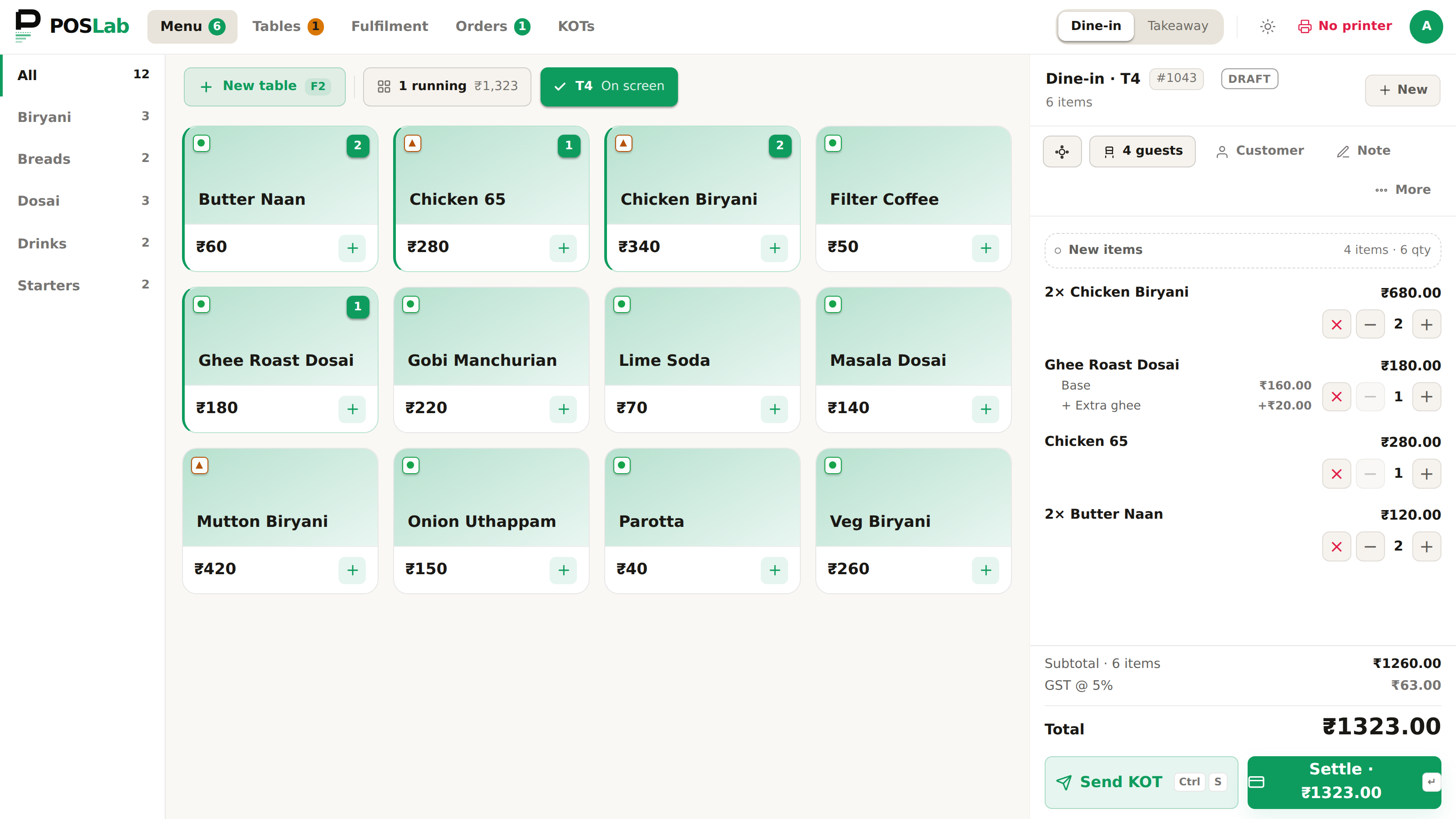
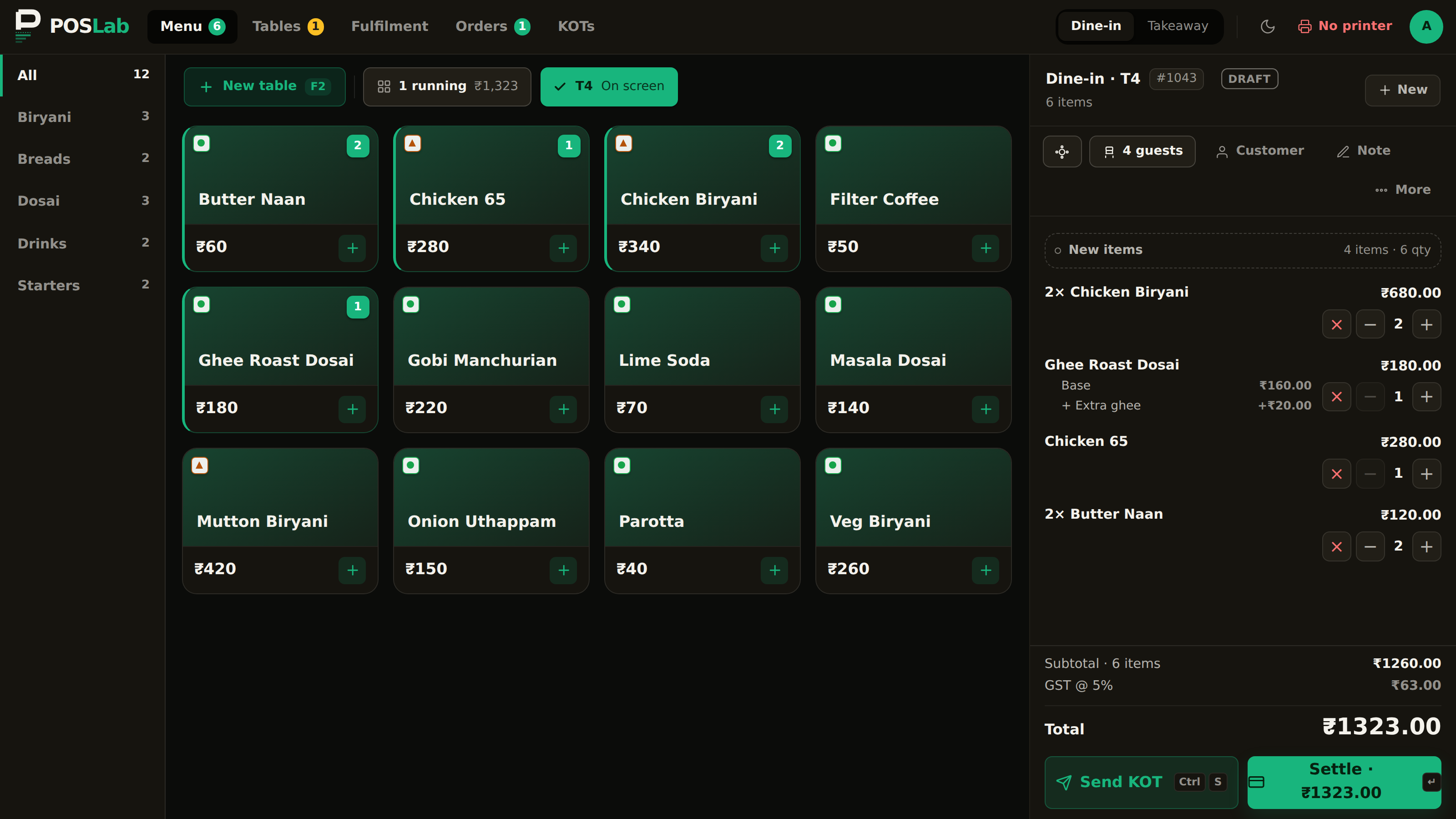
POS terminal — a dine-in bill in progress
An app for everyone in your restaurant.
Every screen talks to the same live data. No exports, no overnight syncs — and every app your plan covers is included in full, never metered per device. See what's in each plan →
POS Terminal
Order entry, modifiers, splits, billing and prints — built for one-thumb speed on the busiest night.
Kitchen display
Tickets appear on the screen the instant they're sent, and clear as the kitchen serves them — no paper, no shouting, no lost chit.
Owner panel
Watch the floor, orders, sessions and today’s numbers live — and set up menu, pricing, staff, tables and taxes. Every outlet, one place.
Scan to order
Guests scanning a QR at their table and ordering from their own phone. In development — not available yet.
Waiter app
Take orders tableside on any phone, instead of walking back to the counter. Included in Core and Pro when it ships — not available yet, and we will tell you the date before you count on it.
Storefront
Your own branded ordering page — your menu, your customers, 0% commission. Guests pay on delivery or at pickup; online payment and your own web address are not built yet.
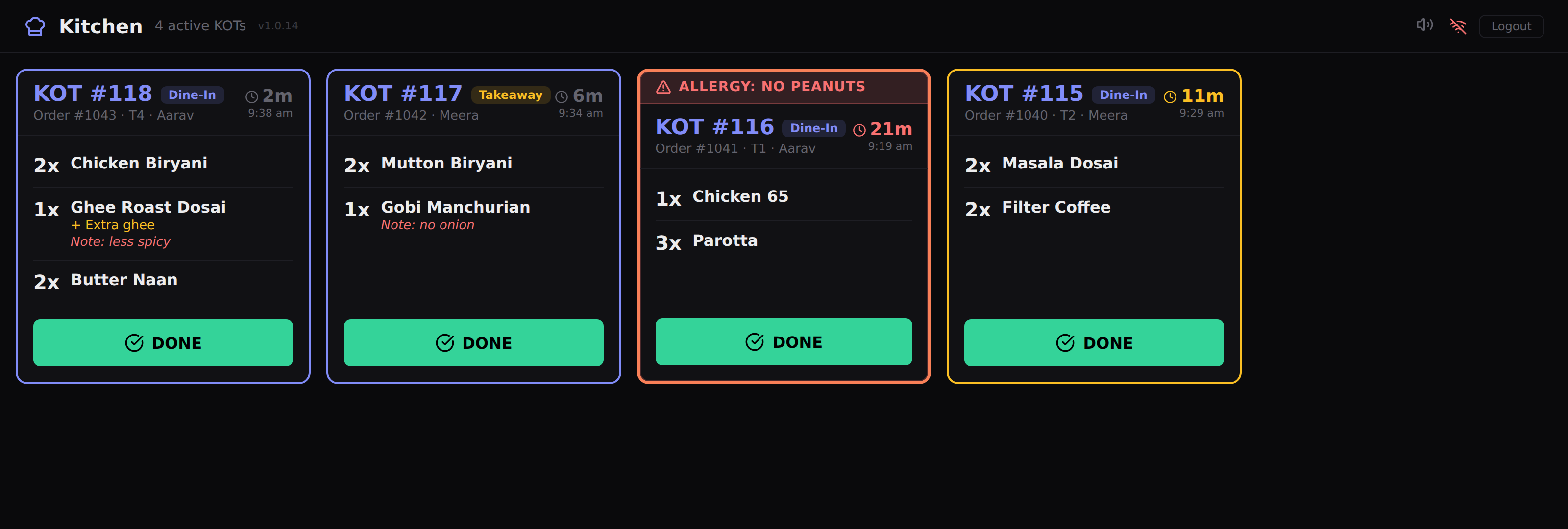
Kitchen display — four live tickets, timers and allergy flags
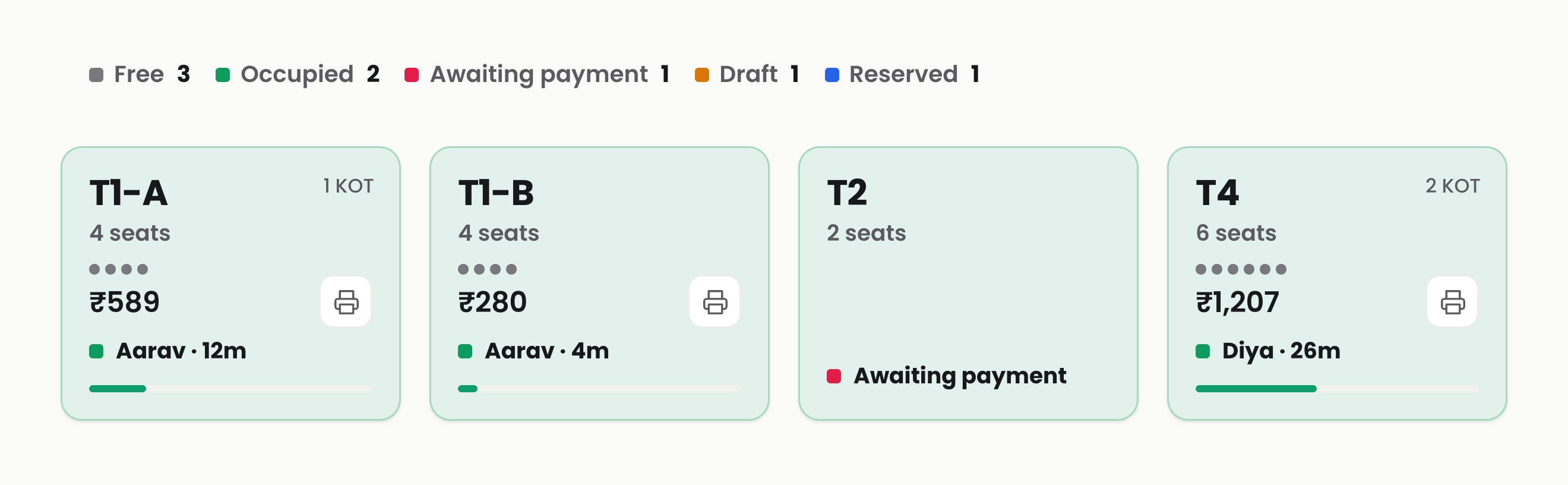
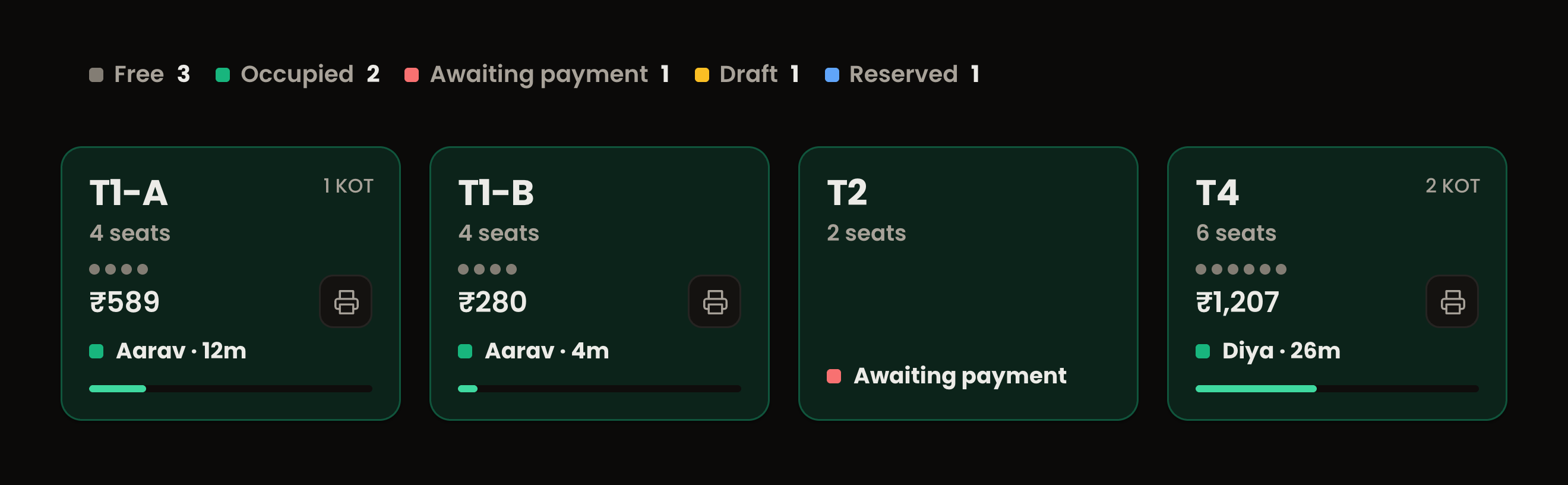
Floor plan — table status, captain and table timers
Everything a busy floor actually needs.
Not a checklist of half-features. Each of these is built deep, because it's how real restaurants run.
Tables & floors
Draw your real rooms, seat a guest, add courses through the meal and move an order to another table. Status is on the tile: free, occupied, awaiting payment, reserved. Joining two tables onto one bill, and two parties splitting one table, are in development.
Stations & printing
Route KOTs to the right kitchen station or printer automatically — grill, fryer, bar, dessert — with per-station displays.
Variants & modifiers
Sizes, portions, add-ons, combos and forced choices — priced correctly and printed exactly how the kitchen reads them.
Staff & roles
PIN sign-in, role-based permissions, and a clear line between who can bill, void, discount and settle.
Payments
Cash, card and UPI on one bill — with integrated card machines: the amount lands on the terminal in one tap, never re-typed.
Receipts, your way
Receipt templates you design once — logo, FSSAI details, footers — printed pixel-identical on any printer.
Order channels
Dine-in, takeaway, delivery and QR self-ordering flow into one queue, one kitchen, one report.
Online & phone orders
Storefront and phone orders land in the same queue as the floor — one kitchen, one screen, no tablet farm on the counter.
Customers
Every phone number becomes a profile — order history, preferences and repeat-guest recognition at the counter.
Live reports
Sales, items, channels and shifts — live from the owner panel on your phone, not tomorrow morning's export.
One tap on the machine. Zero reconciliation.
POSLab talks directly to your payment terminal. The cashier taps Pay — the exact amount appears on the machine. No re-typing, no wrong amounts, and every settlement is matched to its order automatically.
Push to terminal
The bill amount is sent to the card machine the moment you choose card or UPI. The guest taps, the order settles itself — payment status flows straight back into the POS.
Auto-reconciled
Every transaction is matched to its order and shift. End-of-day tallies by payment method, machine and provider — no spreadsheet, no midnight maths.
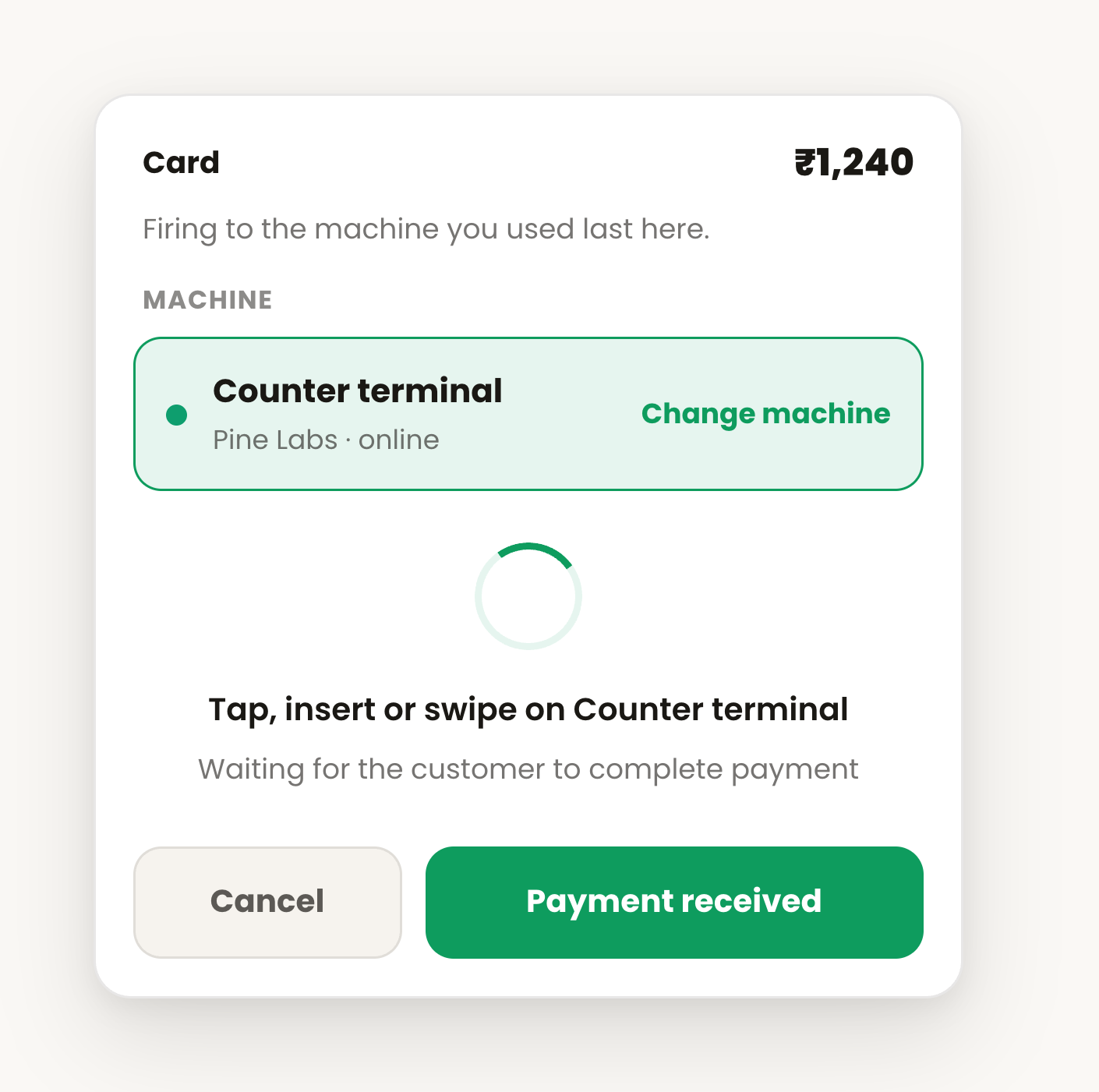
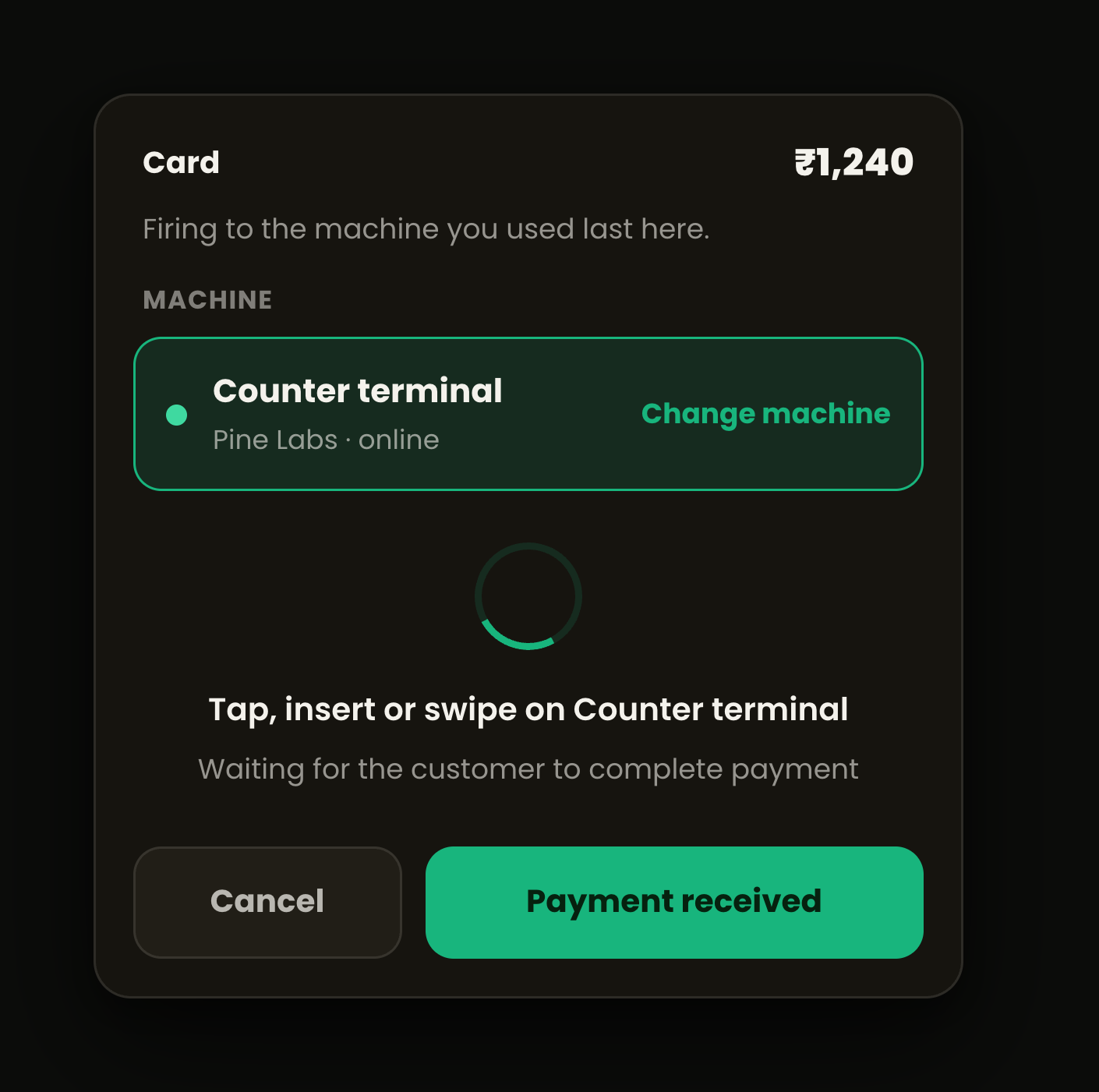
Settle screen — the amount is already on the machine
Built different from the ground up.
No per-device fees, ever
One price per outlet covers unlimited terminals, phones and kitchen screens. Every app your plan includes comes in full — never a metered seat, never a feature paywalled behind a sales call.
Runs on what you already own
A ₹7,000 Android phone, a handheld billing machine, or a 22-inch counter screen. Nothing to install and nothing to lock you in — a new device goes live in minutes: open a browser, enter a code, start billing.
Every till agrees
An order taken on one terminal shows up on the others, and a KOT reaches the kitchen the moment it is fired — the tills reconcile themselves rather than waiting for someone to reload. The owner panel is the exception today: it still needs a refresh, and making it live is in development.
It works with the internet off
Not “degraded mode” — the full POS. Bill, print, open the drawer, take the next table. The line never notices, and everything syncs itself the moment you are back.
The counter reads its own language
The POS is translated into four Indian languages today — English, Hindi, Marathi and Tamil — on every plan, at no extra cost. Your menu, receipts and kitchen tickets go further: they print in any of twelve. We are working towards all 14, and the rest are being translated now.
Invite-only, hands-on
We onboard a small number of restaurants at a time. We migrate your menu, configure your stations, and stay with you through go-live.
Any phone
Waiter app and owner panel run on the phones your team already carries.
Any tablet
Full POS on a 10-inch Android tablet or iPad — no proprietary hardware.
Any screen
Counter POS and kitchen displays from 10 to 22 inches, touch or mouse.
Your printers
Works with the thermal printers you already own — LAN, USB or Bluetooth.
Need hardware? We supply that too.
We supply and support complete setups — terminals, printers and cash drawers — delivered pre-configured, ready to bill out of the box. Or bring your own; both work the same.
Published pricing, per outlet.
Three plans, every app in the plan included, unlimited devices. Offline billing is on every plan, including Lite, and so are all four POS languages. All prices per outlet per year, exclusive of GST.
Lite
Takeaway counters, tea shops, QSR and cloud kitchens.
Core
Sit-down restaurants and cafés — adds dining room, delivery and staff apps.
Pro
RecommendedGoing fully digital — adds the kitchen display and your own online ordering page.
Common questions.
What happens if the internet drops?
The POS keeps billing. Orders queue locally on the device and sync the moment the connection returns — the kitchen and reports catch up automatically.
Can I keep my existing printers and card machines?
Almost certainly. POSLab works with standard thermal printers (LAN, USB, Bluetooth). On card machines we integrate with Pine Labs and Ezetap terminals today — Razorpay POS machines run on Ezetap, so those work too — and we drive a counter QR display device with a dynamic QR for the exact bill amount. Other providers are added as we certify each one. And if you need new hardware, we supply pre-configured iMin and Posiflex setups as an official iMin partner. Tell us your hardware in the call request and we'll confirm.
How long does it take to go live?
We do it for you — menu, variants, taxes, stations and printers are configured by our team. Most outlets go live in under an hour from their onboarding call.
What does it cost?
Three published plans — ₹1,999, ₹3,999 and ₹5,999 per outlet per year, plus GST. Every price is on the pricing page: no quote request, no negotiated per-seat rate.
Rather just talk to a human?
The quickest way in is the plan finder — ten questions, and you see your exact price. But if you'd rather we called you, leave your details and we will.
Ask us to call you
No automated follow-ups, ever. We reply to every message within one business day.
- 01Find your plan first. The plan finder asks ten questions and gives you the plan, the add-ons and the yearly total — before anyone calls you.
- 02We build your outlet. Menu, variants, taxes, stations and printers configured by our team — not left to you on a weekend.
- 03Go live together. We stay on the line through your first real bills, then hand you the keys.